You might think that, to remove the background from a photo, you need to become some sort of Photoshop grand master. Well, that's not true anymore: we're living in the future.
If you own a Mac running macOS Ventura or a mobile device running iOS 16, you can remove the background from any picture in just a couple of clicks or taps.
How to remove the background of a picture on a Mac
Imagine you had access to a majestic image of a very good dog enjoying a couch. It's near perfect, obviously, but the dog could be sitting somewhere else. Here's how.
-
Right-click (or control-click) the image.
-
Hover over Quick Actions.
-
Click Remove Background.
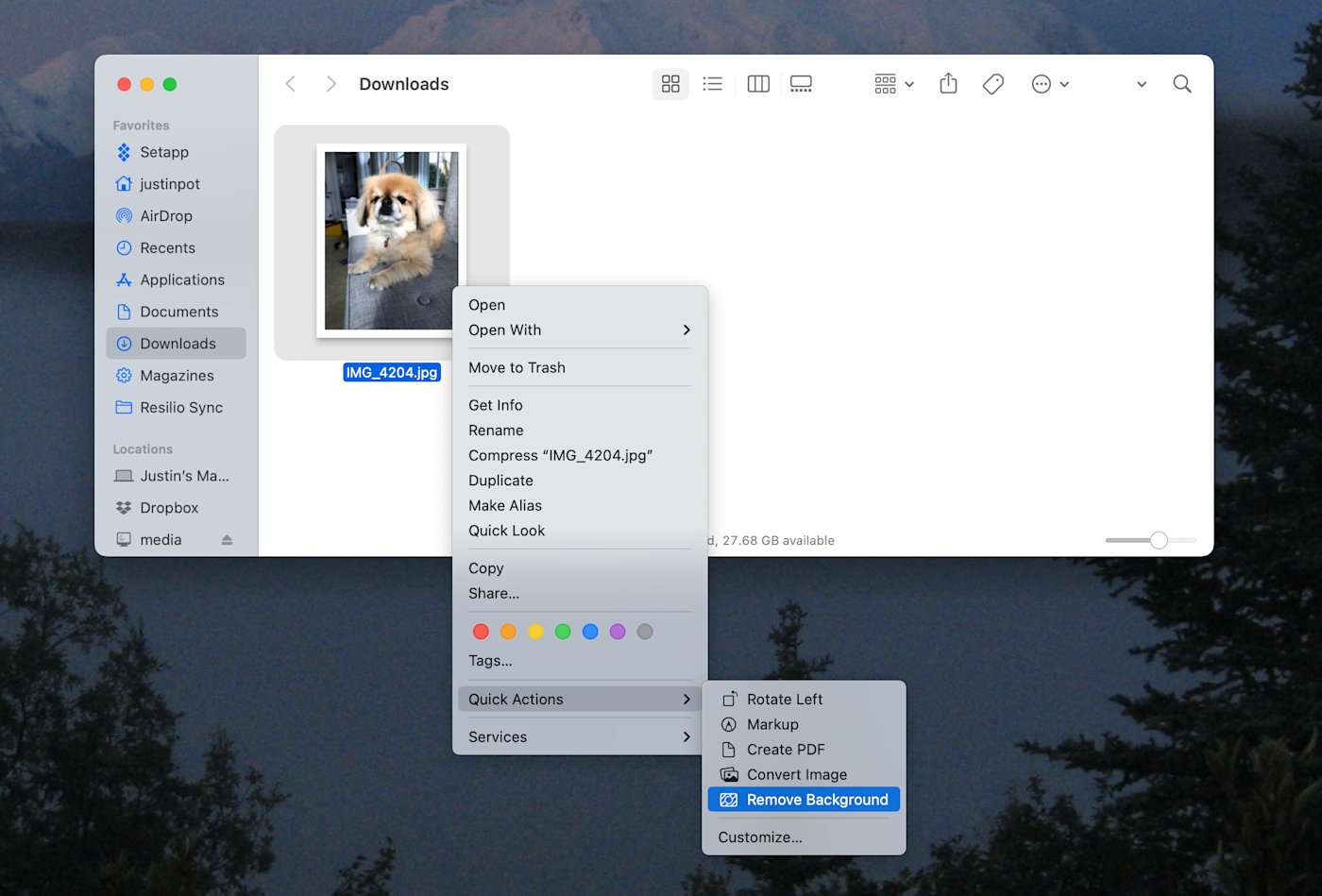
A new file is created with the background removed.
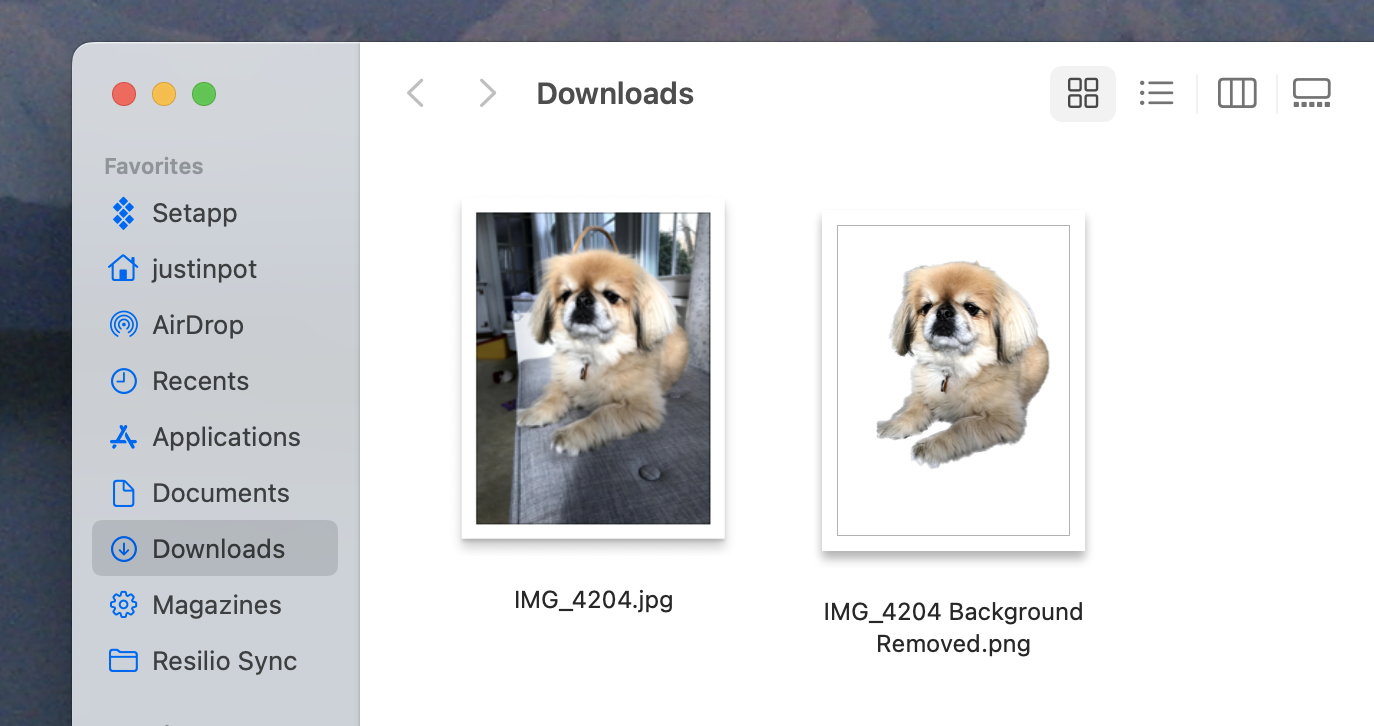
To use the new image, open it in Preview, highlight the part of the image that's not blank, then click File > Copy in the menu bar (or use the keyboard shortcut
command + C).
How to remove the background of a picture on iPhone
On an iPhone, you can't save the new backgroundless photo anywhere, so there's one extra step if you want to save it.
-
Tap and hold the image.
-
Select Copy.
-
If you only want to paste it somewhere, go for it.
-
If you want to save the new version of the picture, paste it into a message (by tapping the text field and selecting Paste), and send the picture to yourself (or anyone else). Save it from the message thread by clicking the save icon next to the image or by holding down the picture and choosing Save.
Now you have an image with no background, meaning you can paste it into other places. For example: we can put the best dog in the world onto the Iron Throne.

Or the bridge of the Enterprise.

Or, most impressively, we can finally give Jeff Probst of Survivor the assistant he truly deserves.

You could also, in theory, use this ability for work-related tasks. Personally, I'm going to spend the rest of the day inserting pets into other images.
Related content: